Gemini can arrange appointments as its free Task mode rolls out
Google / The Keyword. Google and Gemini are trademarks of Google LLC. Independent coverage by Soft Bee; this article is not endorsed by Google.
Tech & Dev
Tech & Dev
1 min read
Topic
Tech & Dev
Read time
1 min read
Date
18.11.2026
What you can ask Gemini to do
Google is adding a Task mode to Gemini for requests that involve taking action, not just answering questions. It describes tasks such as arranging appointments, reviewing bills and adding items to a grocery order. Depending on the request, Gemini may use information from apps and accounts the user has connected.
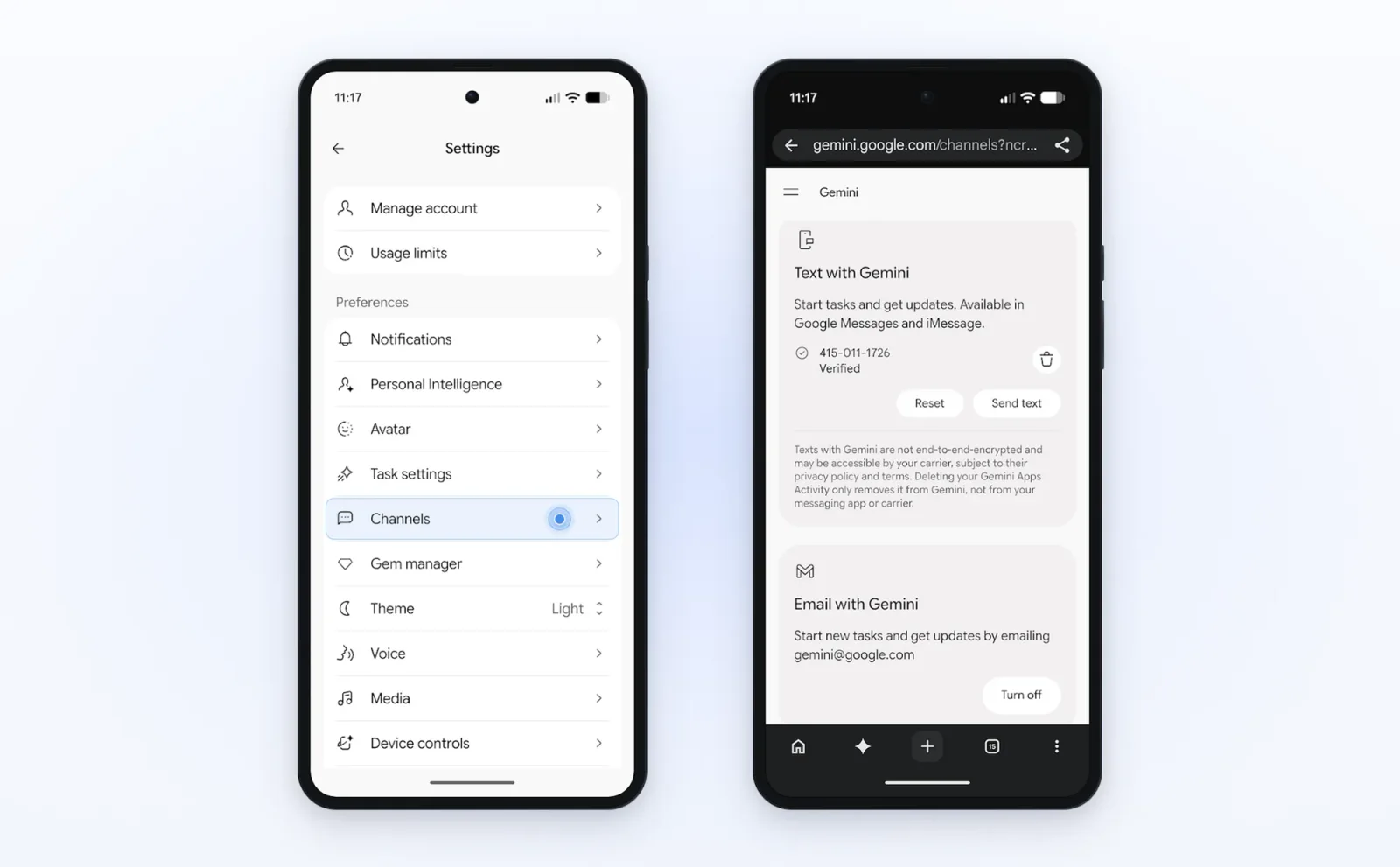
The free rollout is underway in the U.S., Japan, Korea, Canada, Australia and India. Google says a separate set of advanced features is starting in the U.S., but does not clearly say which capabilities are included in that set. The announcement does not establish availability in Ukraine. Where Task mode is available, users can switch the Gemini app’s home-screen toggle from Chat to Task. Forwarding emails to gemini@google.com and texting Gemini are starting in the U.S.
Controls and limits
Google says Gemini is designed to ask for confirmation or pre-approval before a purchase. Users can set a spending cap, adjust task settings, disconnect apps and delete chat history. Google also says businesses called by Gemini are told they are speaking with an AI and can opt out.
Google cautions that tasks can fail or miss the mark. On some websites, Gemini may hand control back to the user for the final step. It is worth checking whether a booking, bill-related task or purchase was completed as intended.
Sources
Image credit: Google / The Keyword. Google and Gemini are trademarks of Google LLC. Independent coverage by Soft Bee; this article is not endorsed by Google.
Image source: https://blog.google/innovation-and-ai/products/gemini-app/tasks-in-gemini-free-new-features/
License: https://partnermarketinghub.withgoogle.com/brands/google/branding-guidelines/how-to-show-googles-brand/#product-visuals
Google Blog: https://blog.google/innovation-and-ai/products/gemini-app/tasks-in-gemini-free-new-features/